Guide

Museek is a platform that connects music with the content creators who react to it and post it. Artists run campaigns where their track is matched with creators, who react to the music, choose to take part in the campaign and get paid a fixed price for posting with the campaign track.

for Artists

Launch a campaign, pick the creators you want and pay only for confirmed posts.

Launch campaign
1

Add your track

Paste a Spotify or SoundCloud link and Museek fills in the cover, title and artist. Describe the track with one genre, up to two subgenres, a feel and a theme, set the language and the campaign end date (up to 40 days), and add a short brief if you like.

You can also add official sound links for TikTok, Instagram and YouTube, so creators post with the right audio.
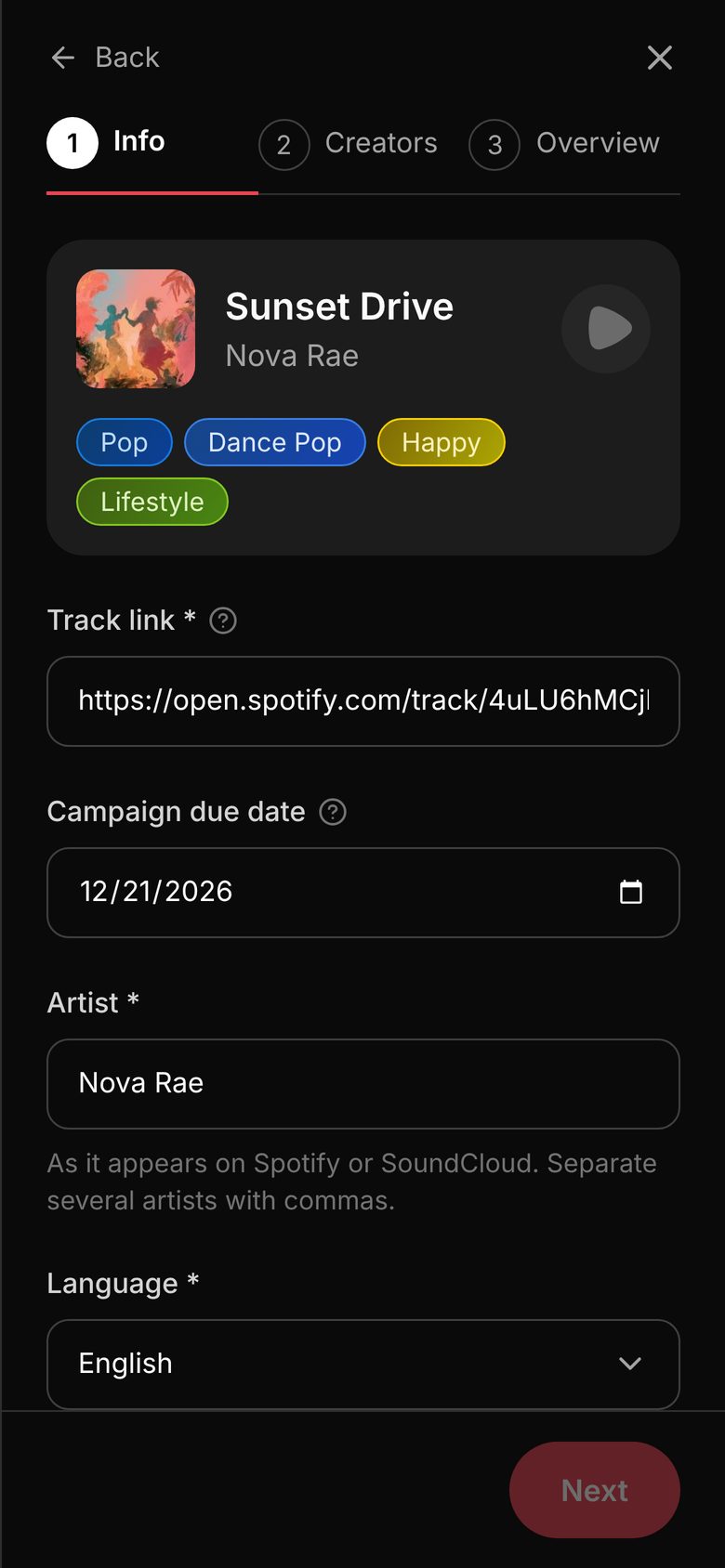
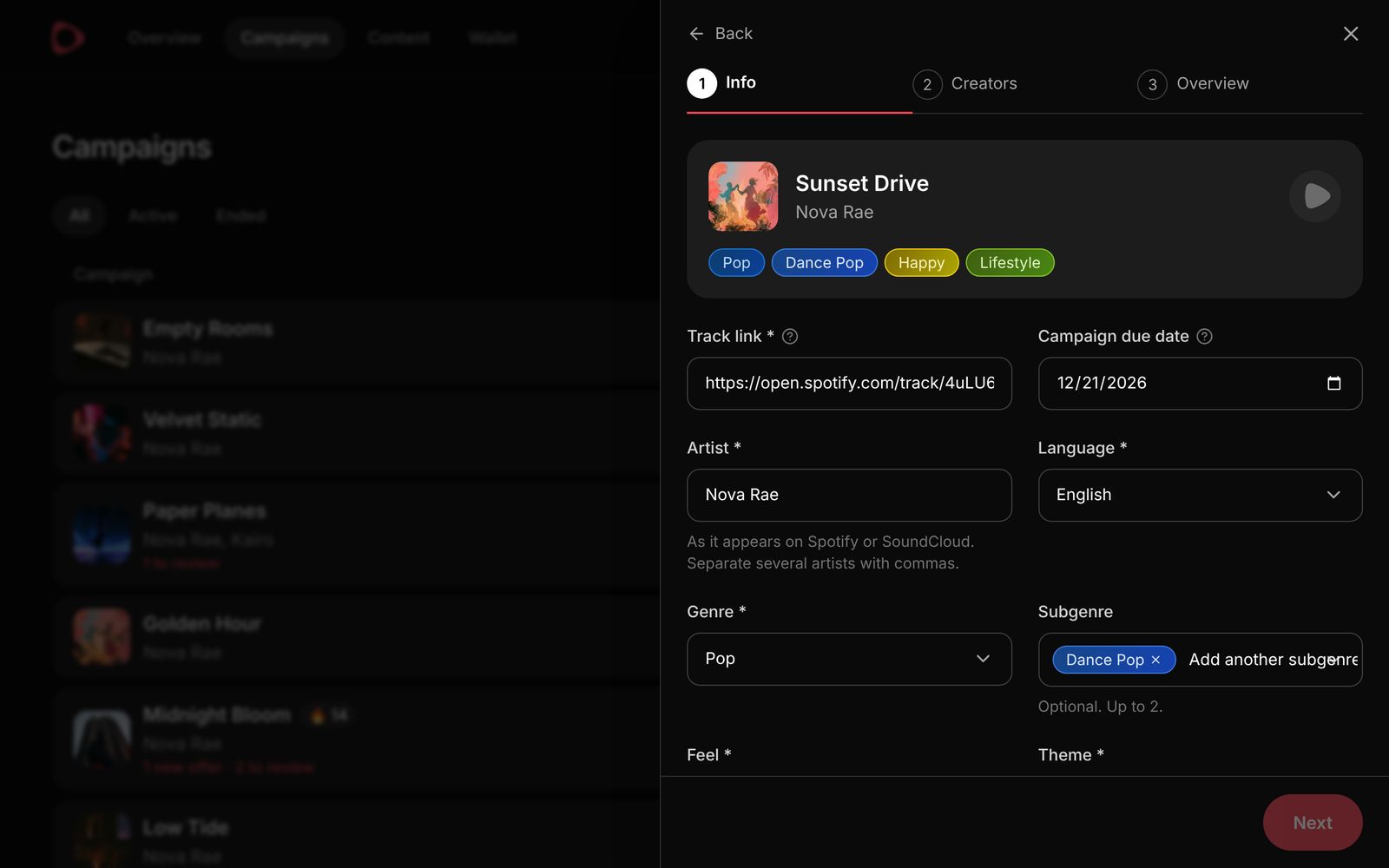
New campaign form with the track, its tags, the track link, end date and artist
New campaign form with the track, tags, link, dates and artist
2

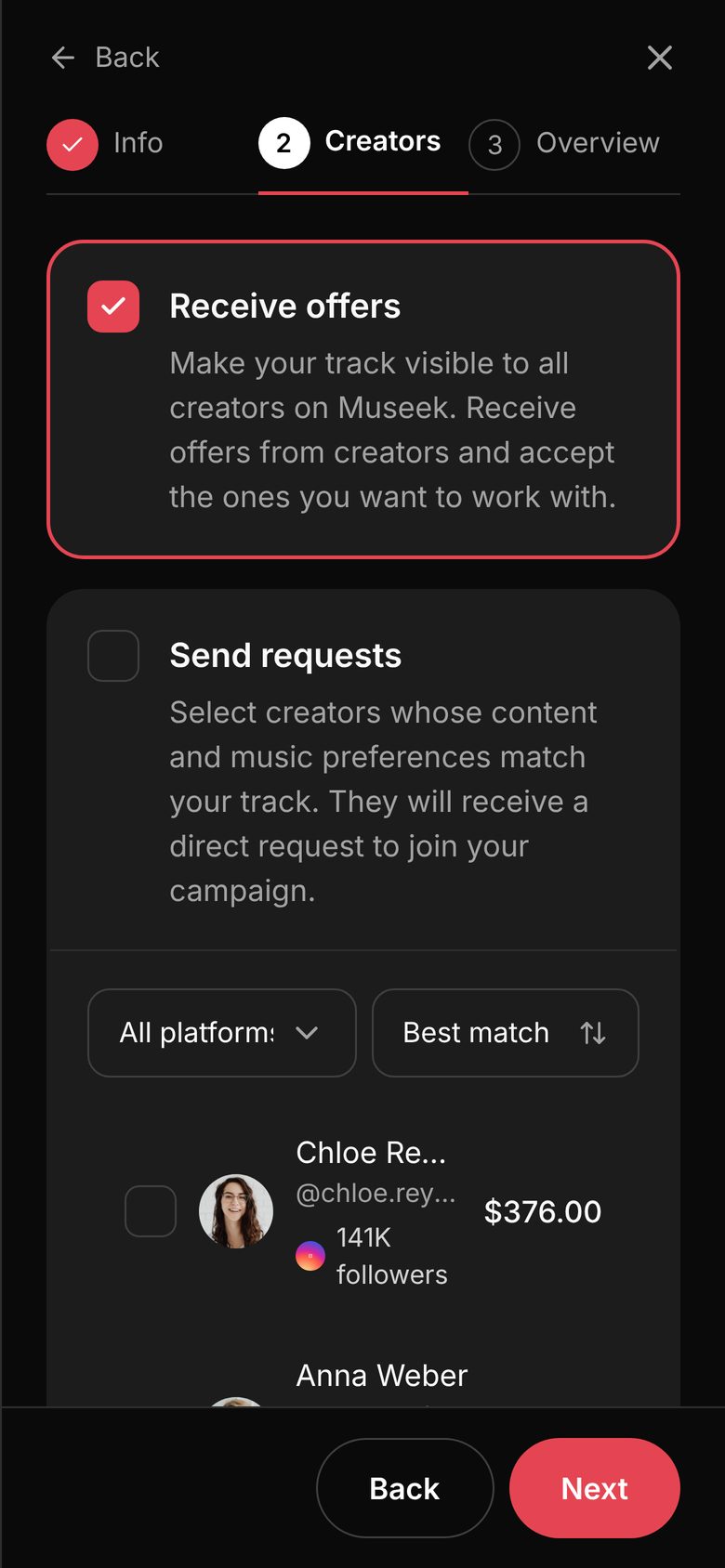
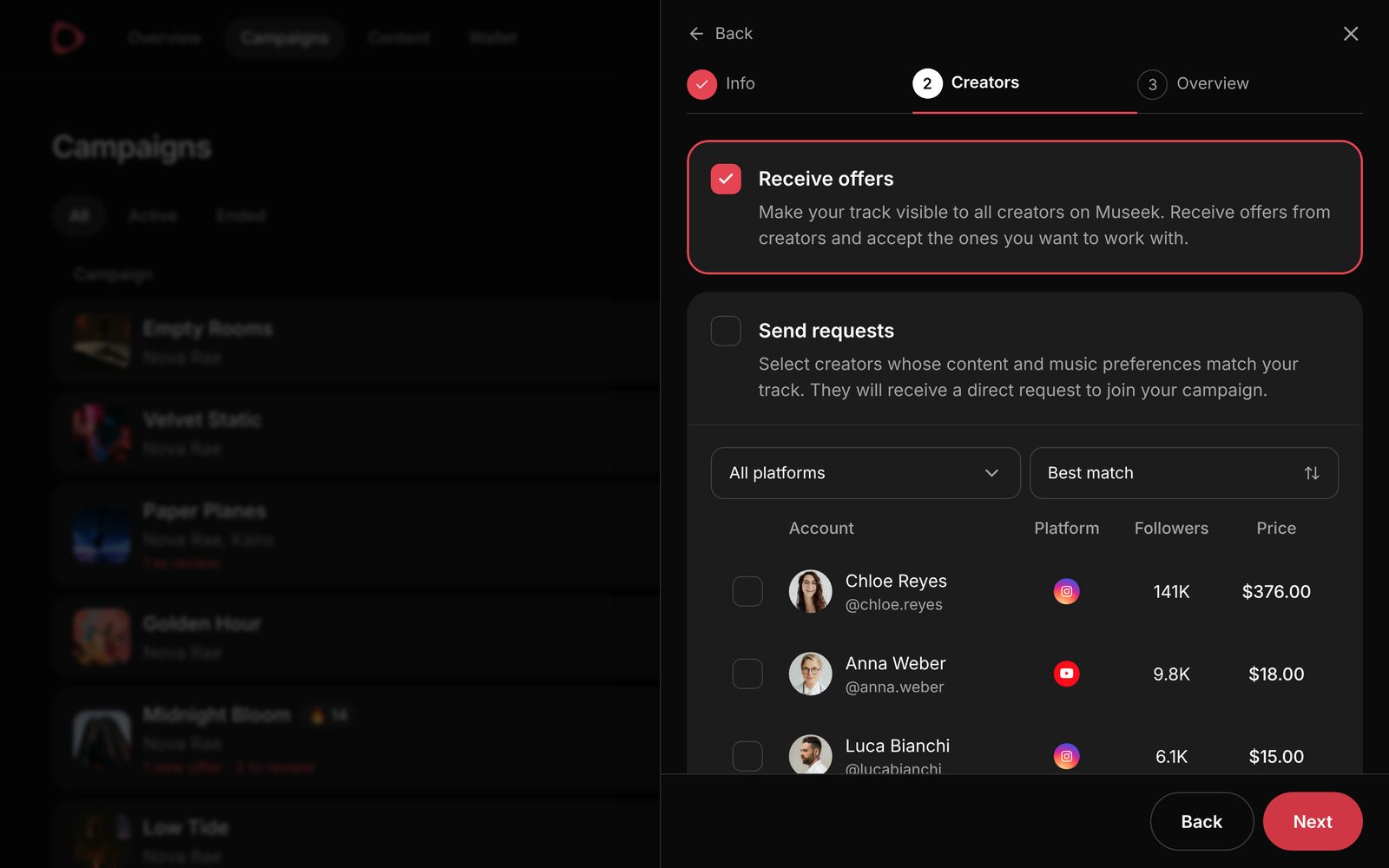
Choose how creators join

Receive offers opens your track to every creator on Museek. Creators who like it send an offer at their own price, and you accept the ones you want. This needs a flat $50 budget.

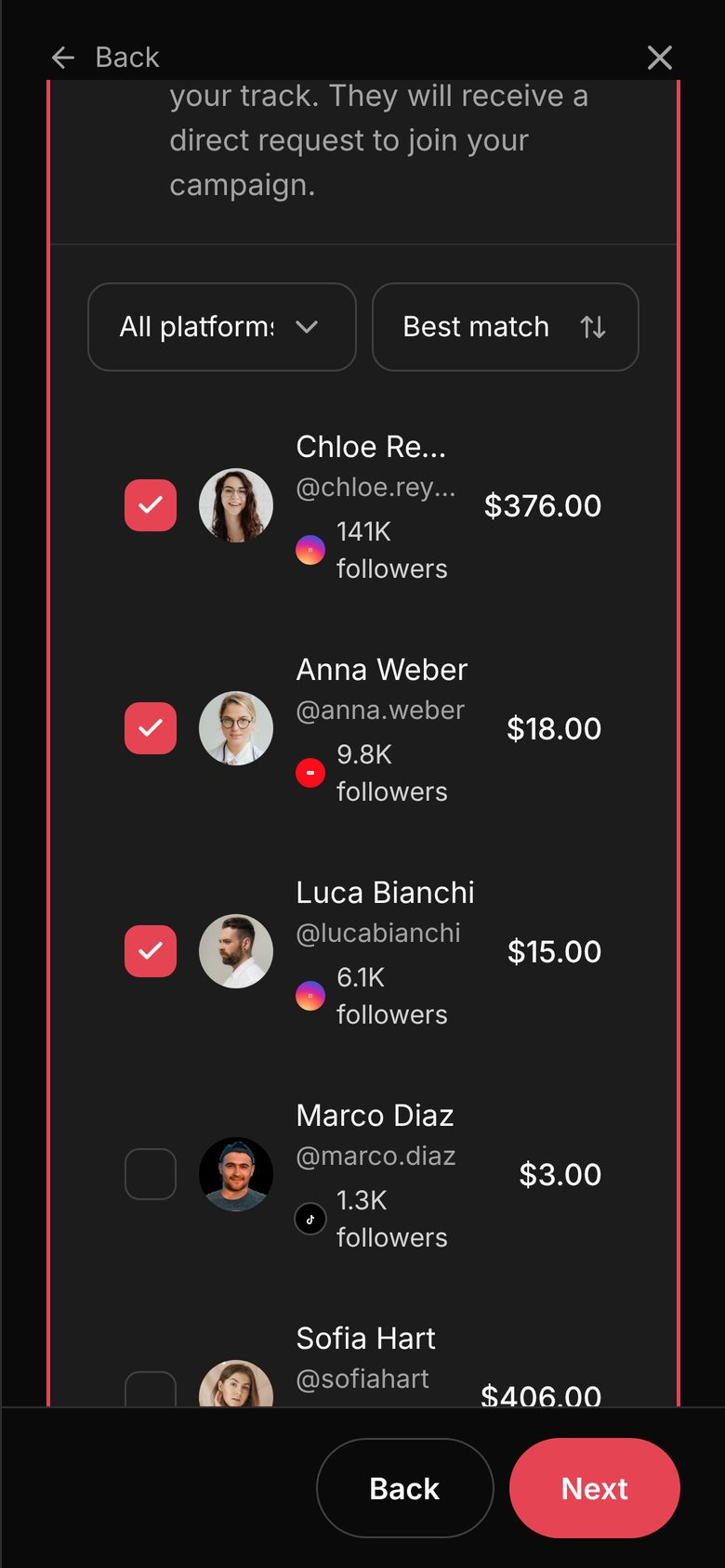
Send requests lets you pick creators yourself. They are ranked by how well their genres, feel, theme and language match your track, and each one gets a direct request. Their full post prices go into the budget.

Use one or both.

Campaign step 2 with the Receive offers and Send requests options
List of matching creators with prices, three of them selected
Campaign step 2 with Receive offers, Send requests and the list of matching creators
3

Check the cost and launch

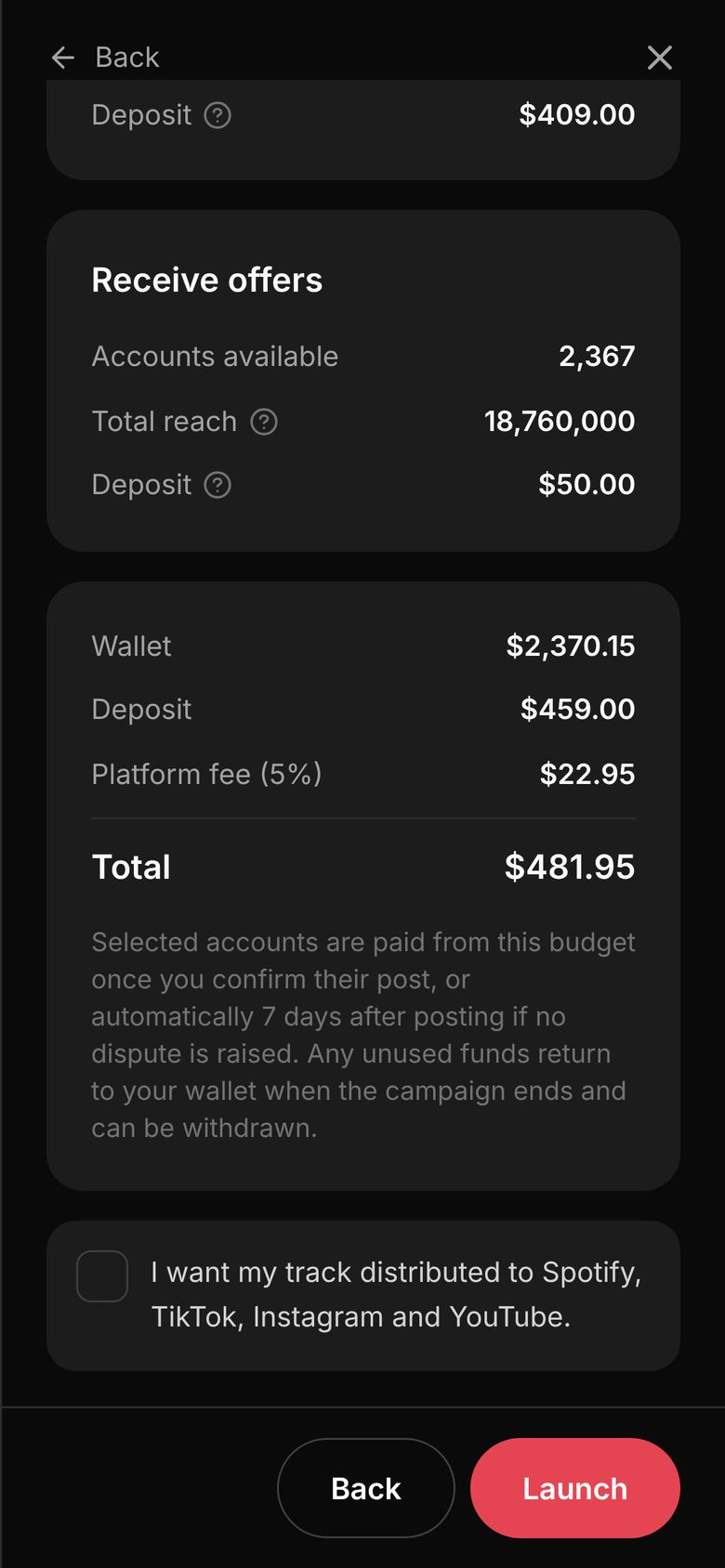
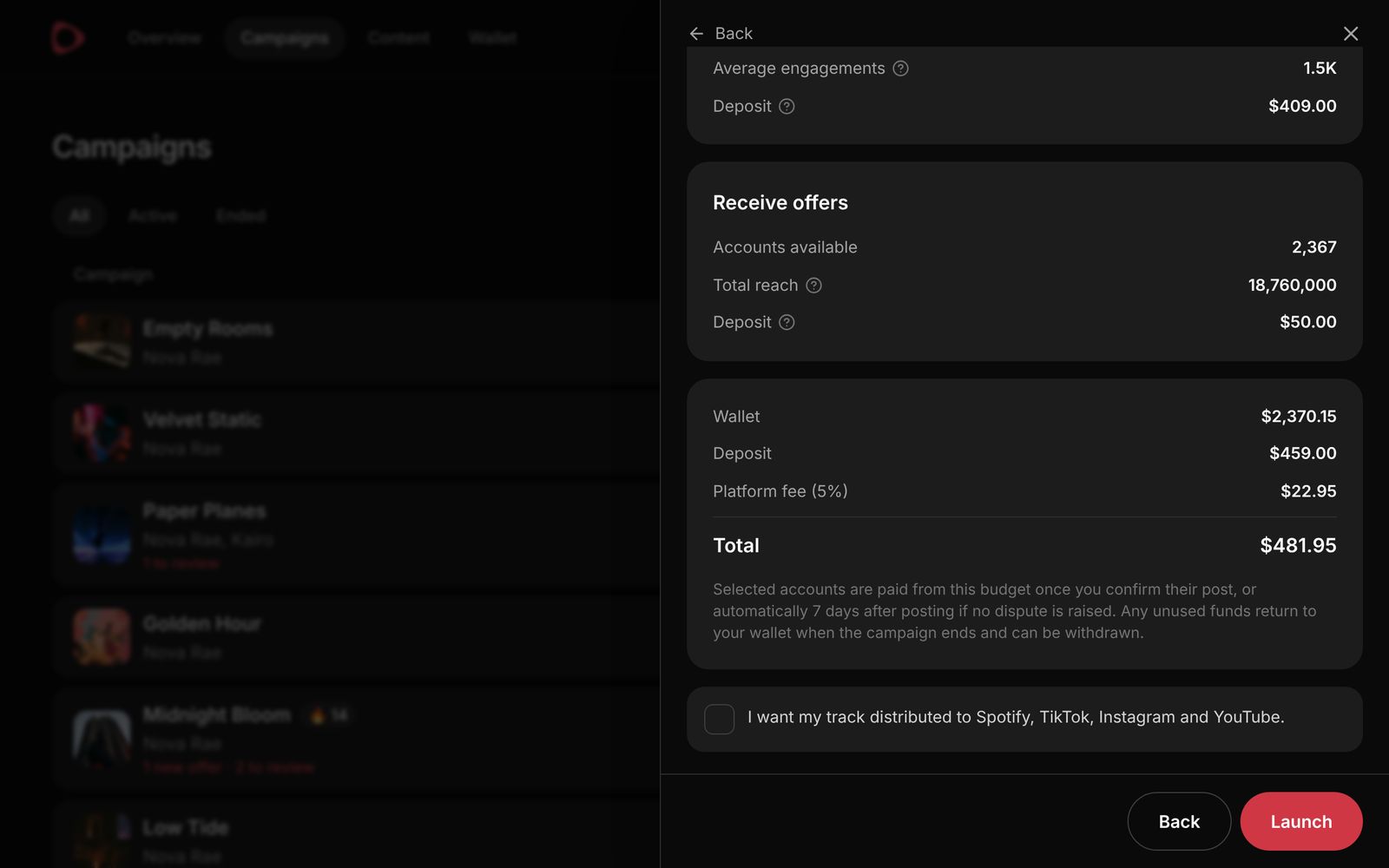
The overview shows exactly what goes into the campaign budget, the 5% platform fee and the total taken from your wallet before you launch.

Your first campaign can be a free 7-day trial: open to offers from all creators, with no budget and no platform fee. You only pay for the offers you accept.

Campaign overview with deposits, the 5% platform fee and the total
4

Follow your campaign

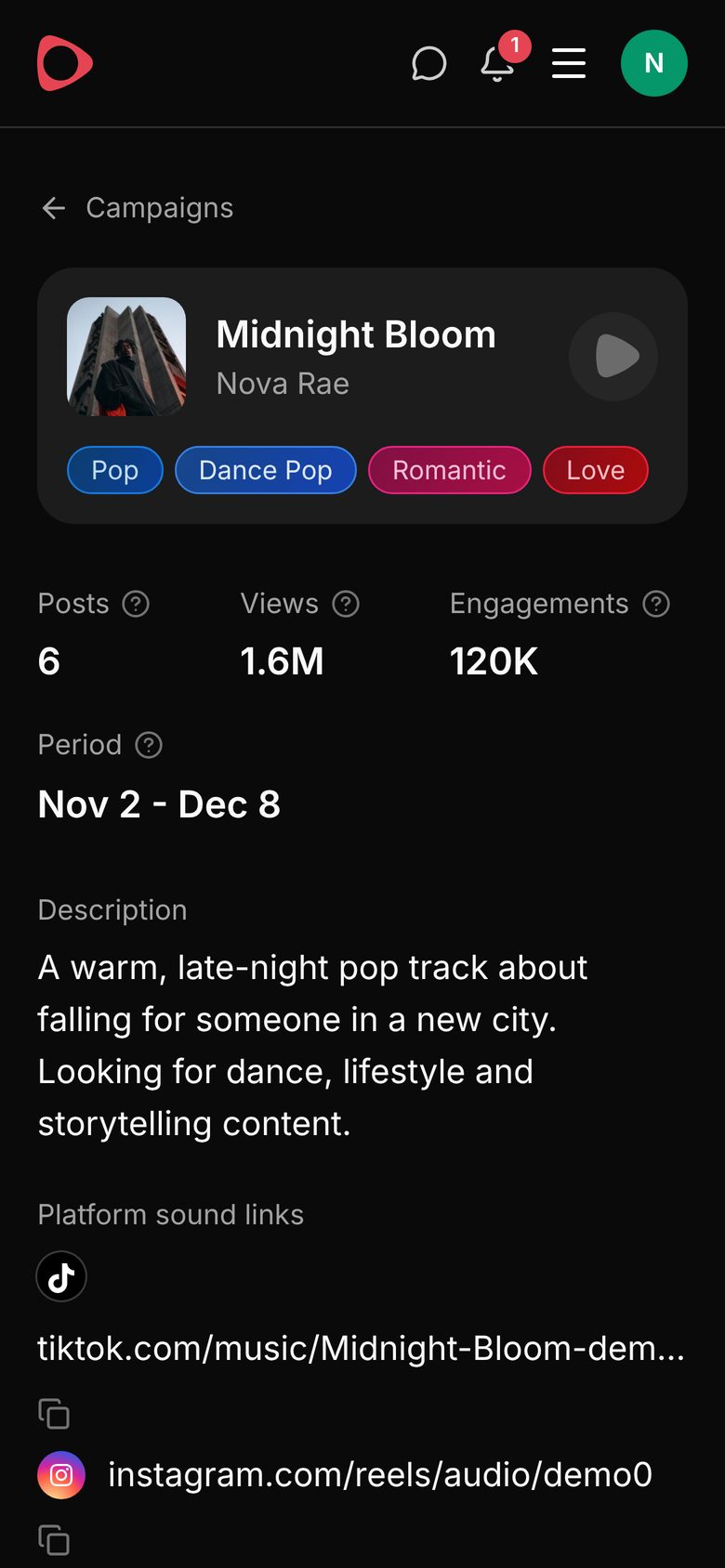
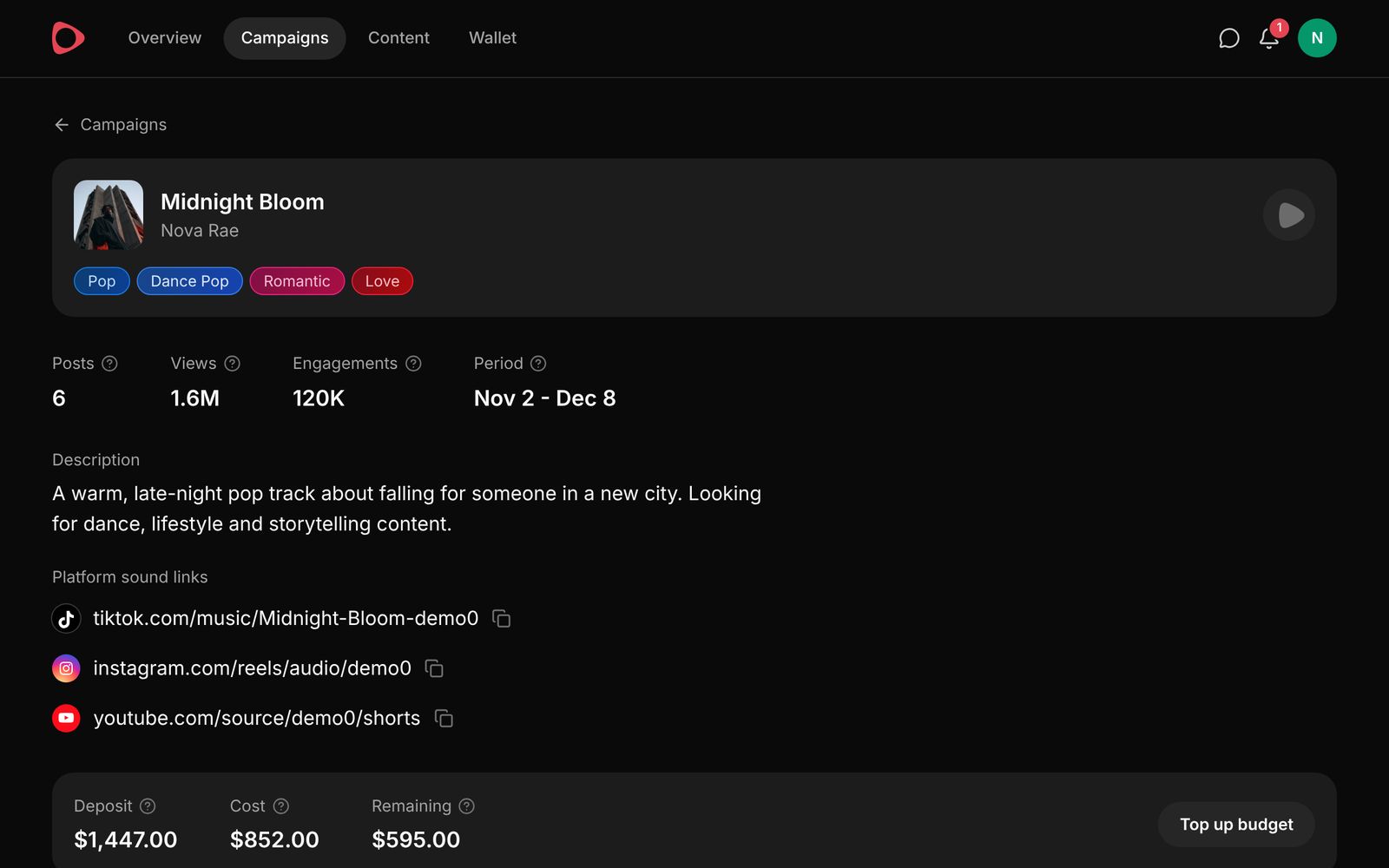
Each campaign shows its posts, views and engagements, the budget left, and creator interest: how many creators listened, gave your track a 🔥, joined and posted. Below it, every creator is grouped by stage, from invited to posted, with chat and activity for each one.

Campaign page with posts, views, engagements, period and description
Campaign page with posts, views, engagements, sound links and budget
5

Review and confirm posts

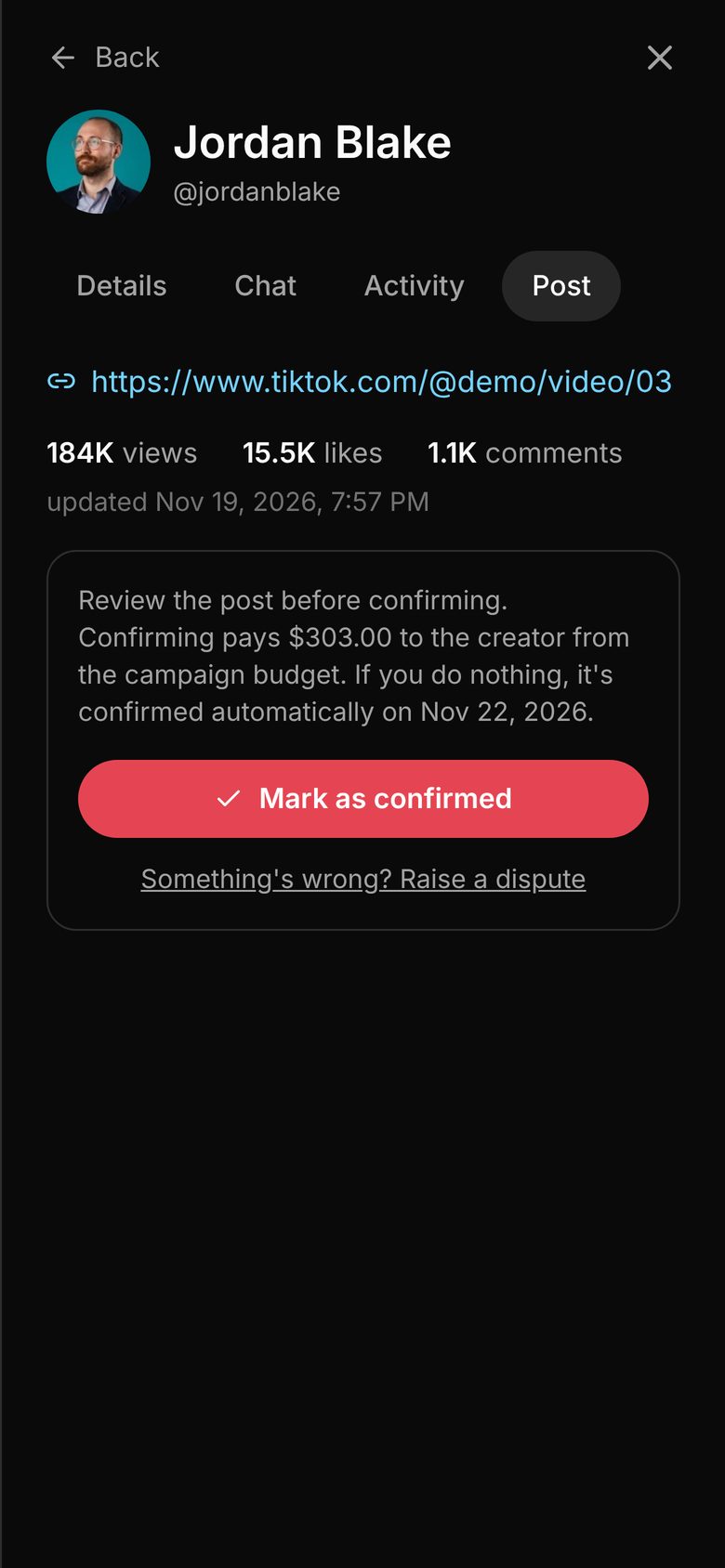
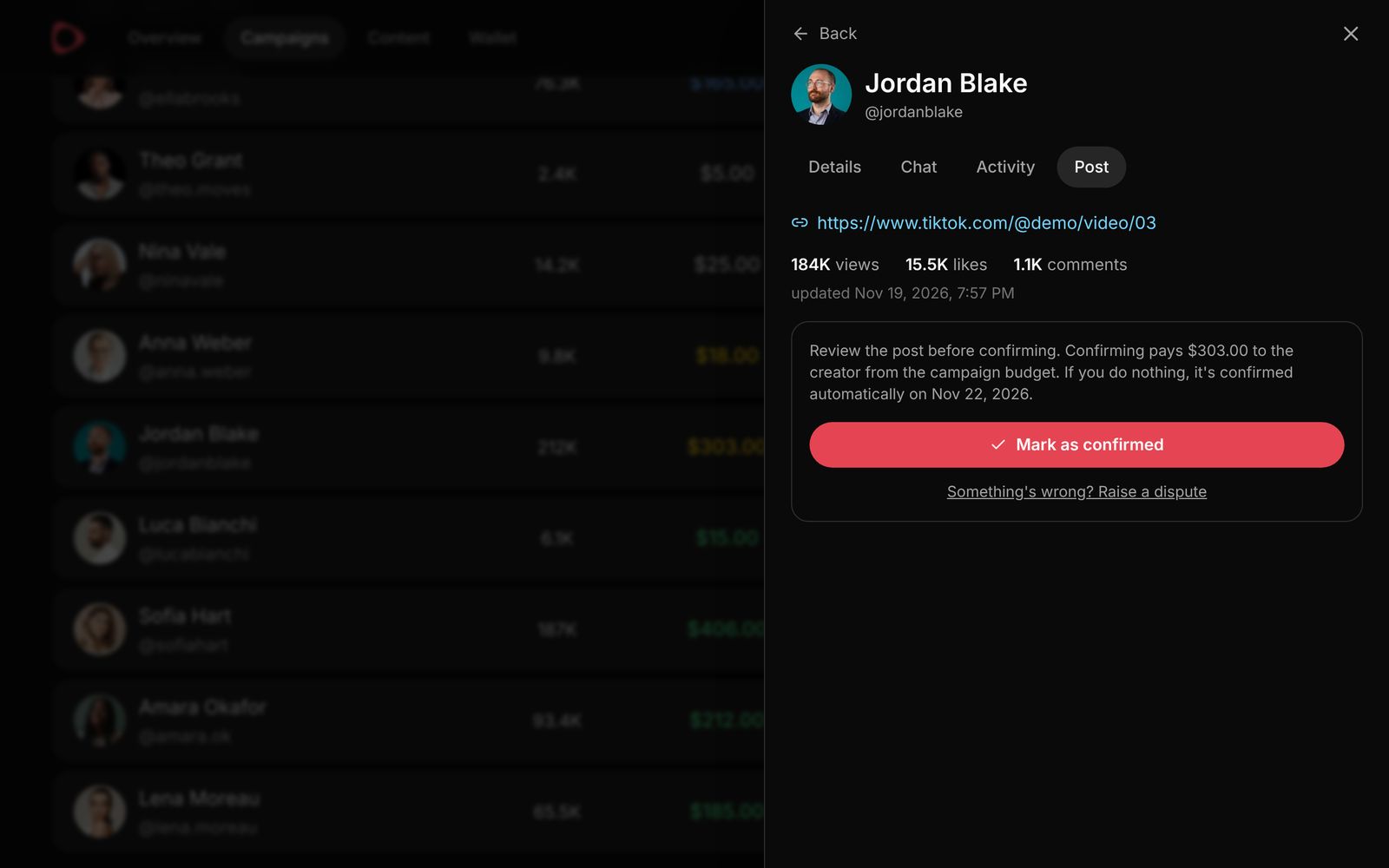
When a creator submits their post link, you have 7 days to check it. Confirm it to pay their price from the campaign budget, or raise a dispute if something is wrong. If you do nothing, the post is confirmed automatically.

A submitted post with its link, views, likes and comments, and the Mark as confirmed button
A submitted post with its stats and the Mark as confirmed button
6

See results and manage your wallet

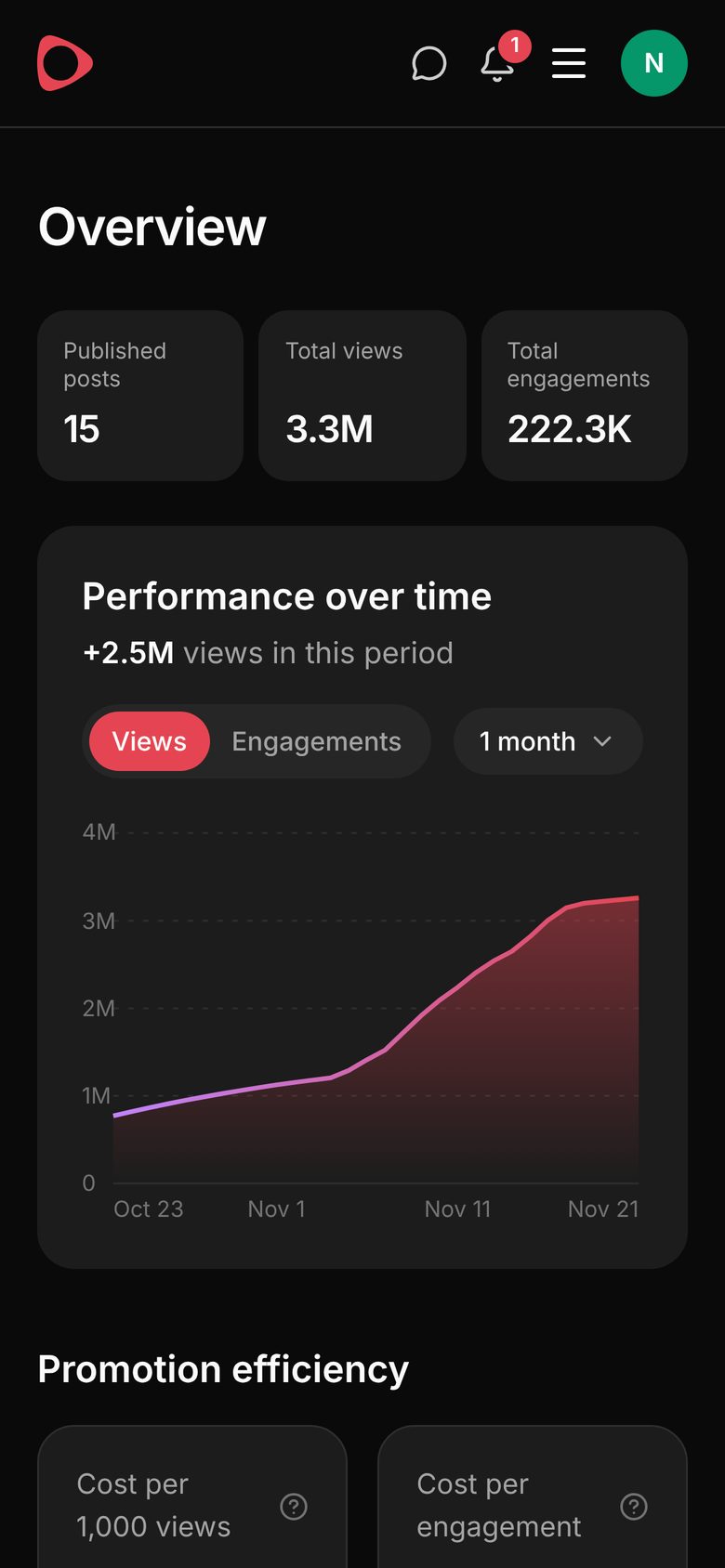
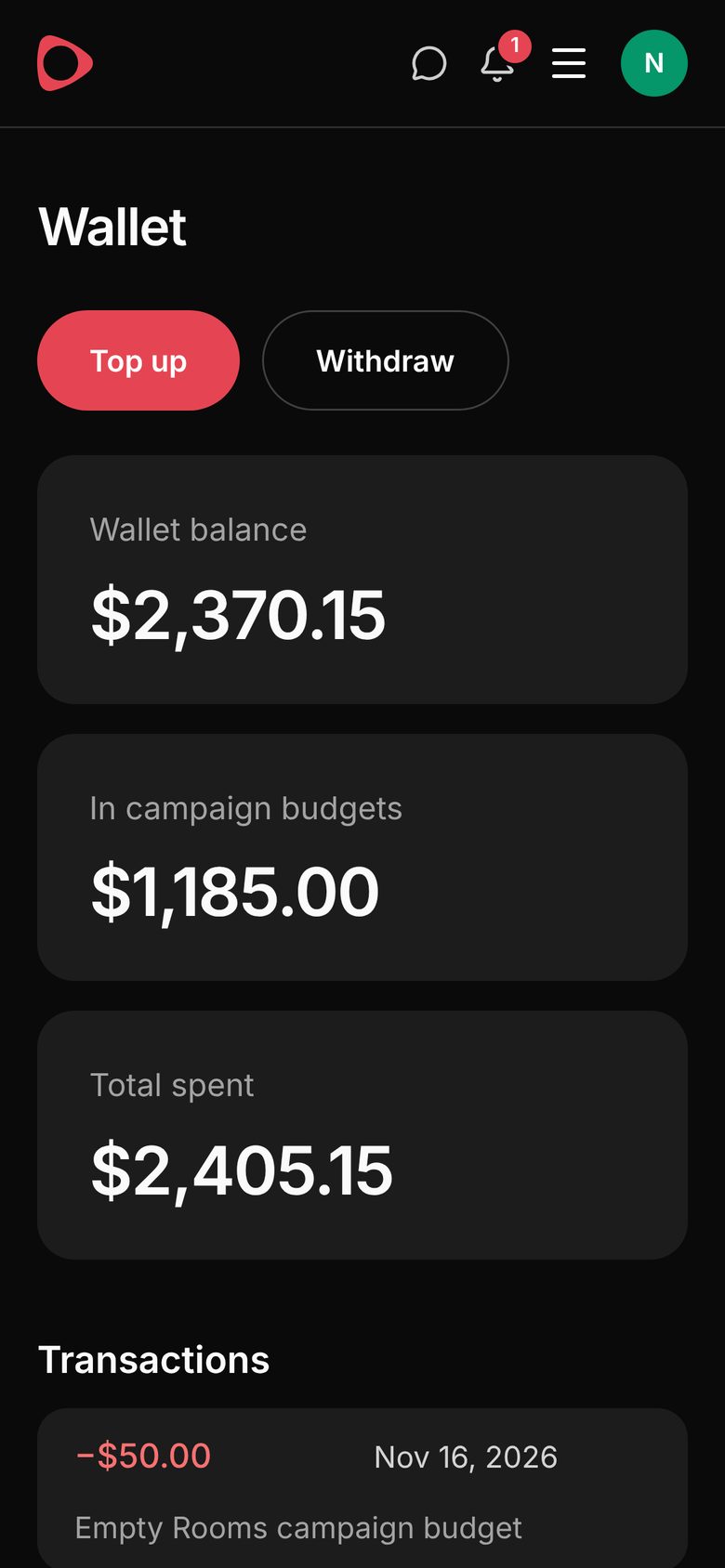
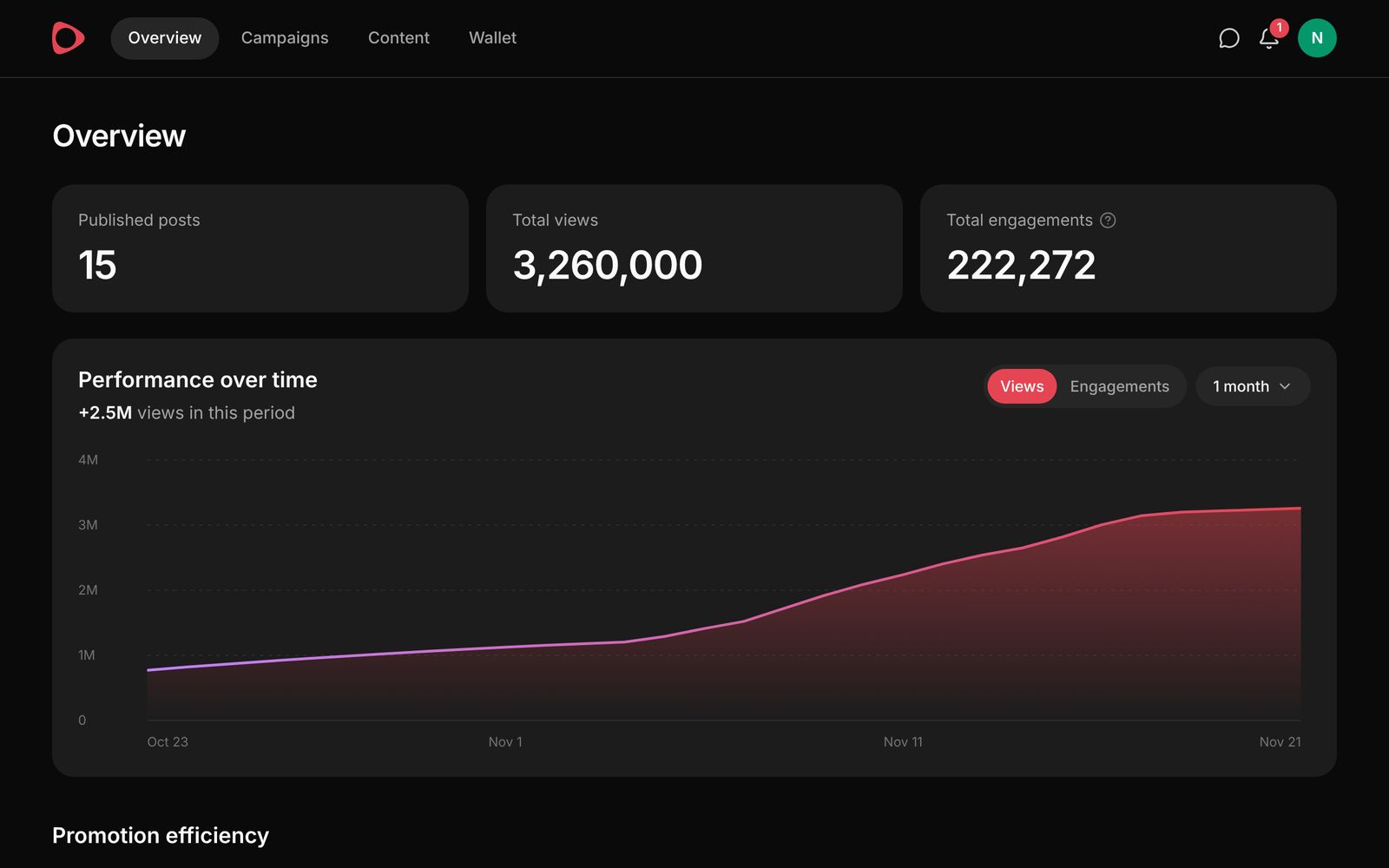
The Overview page charts views and engagements over time, with cost per 1,000 views, cost per engagement and engagement rate. The Wallet holds your balance, the money in campaign budgets and every transaction. Top up by card, and withdraw unused funds at any time.

Overview page with published posts, total views, engagements and a performance chart
Artist wallet with balance, money in campaign budgets and total spent
Overview page with posts, views, engagements and a performance chart

for Creators

Choose music you actually want to post with and get paid for every confirmed post.

Browse music
1

Connect your accounts and set your price

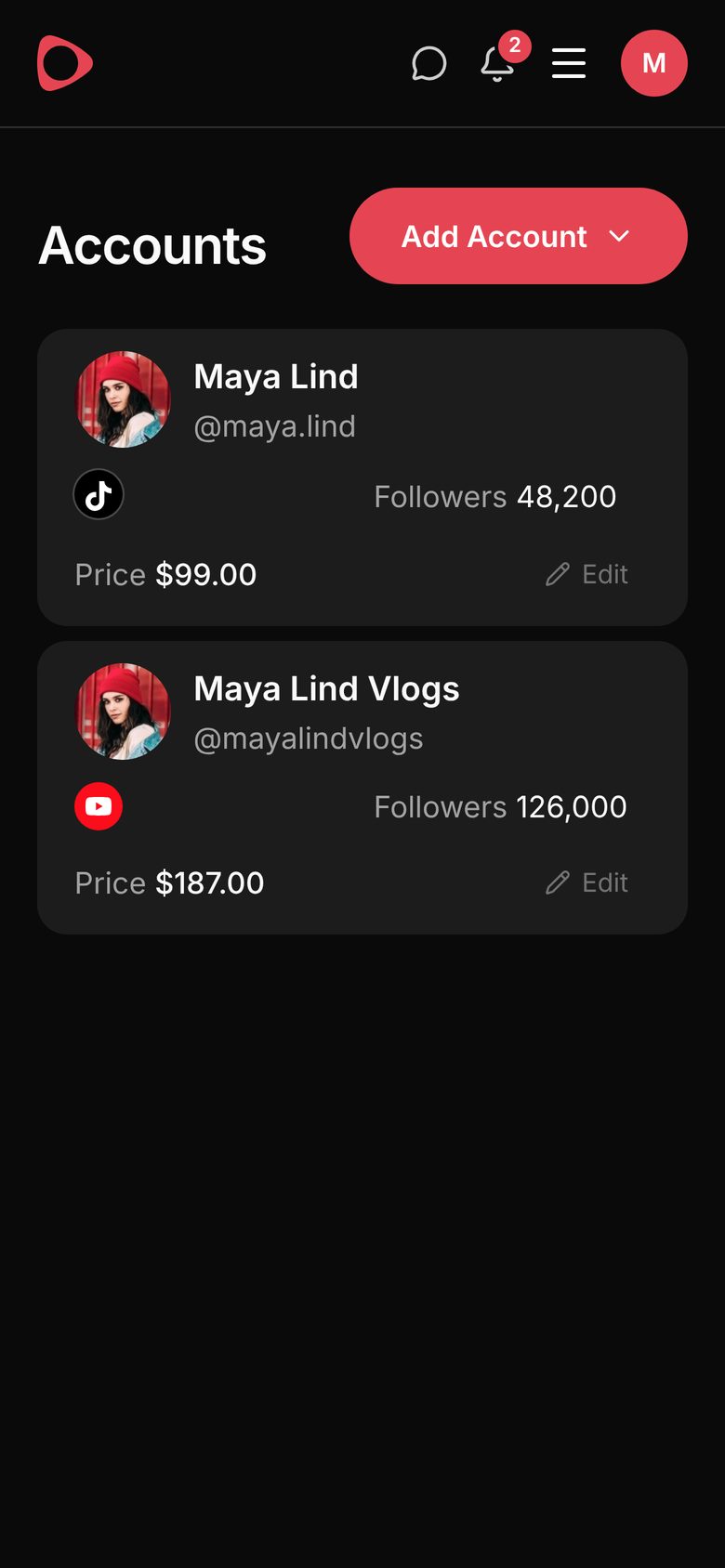
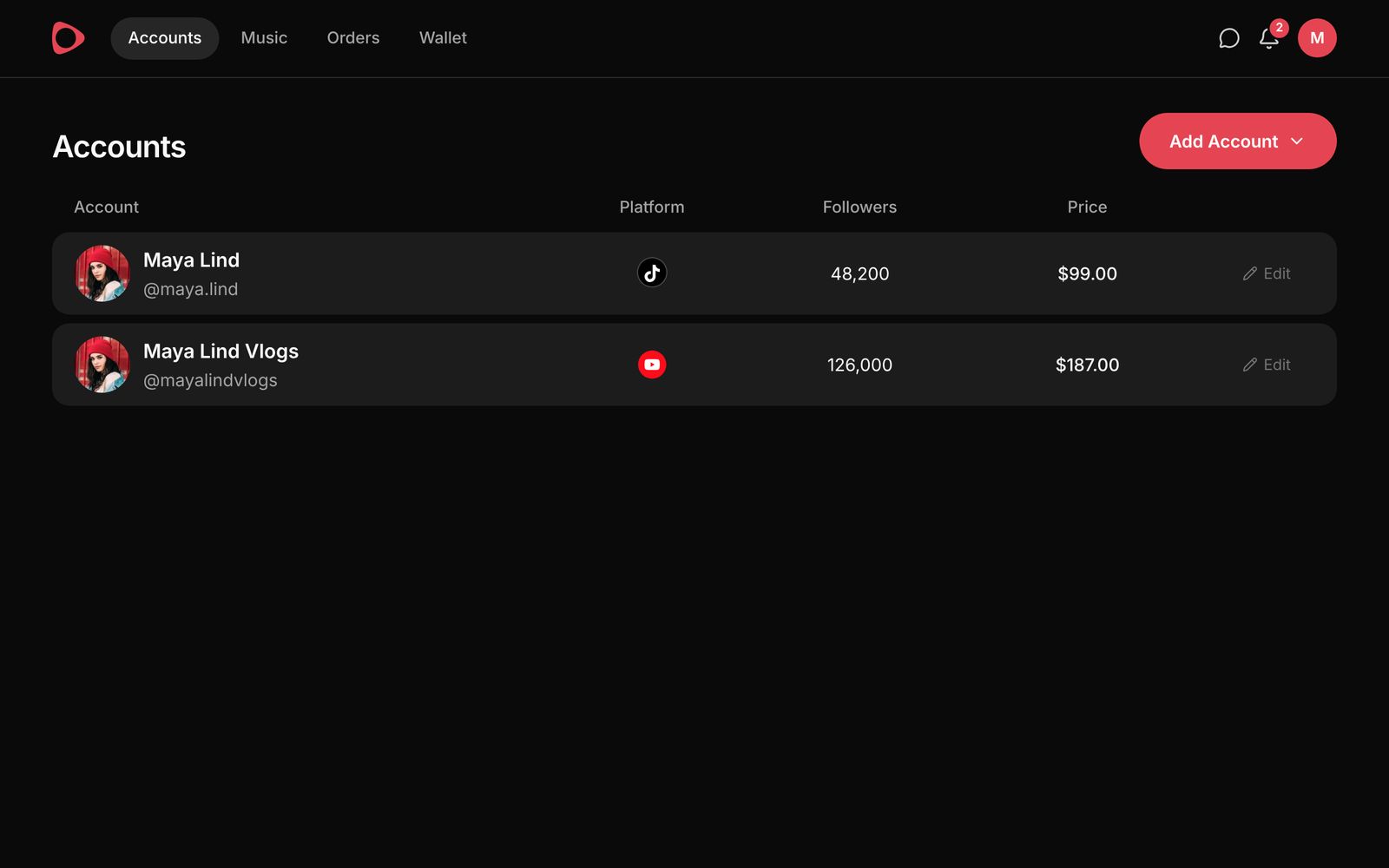
Add your TikTok, Instagram and YouTube accounts. Each one has its own price per post, set by you (from $1). Artists see your followers and recent performance when they choose who to work with.

Accounts page with two connected accounts, their followers and prices
Accounts page with connected accounts, followers and prices
2

Discover music

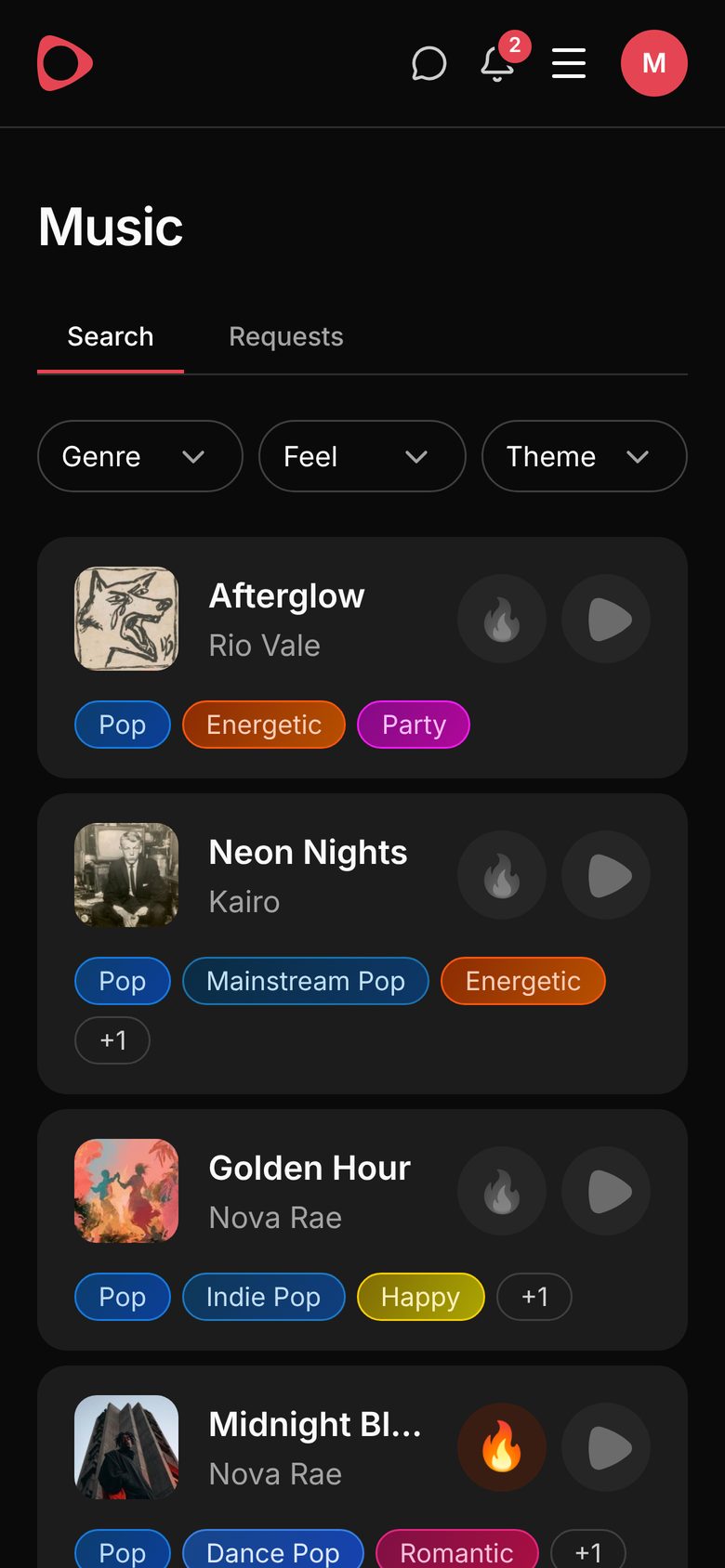
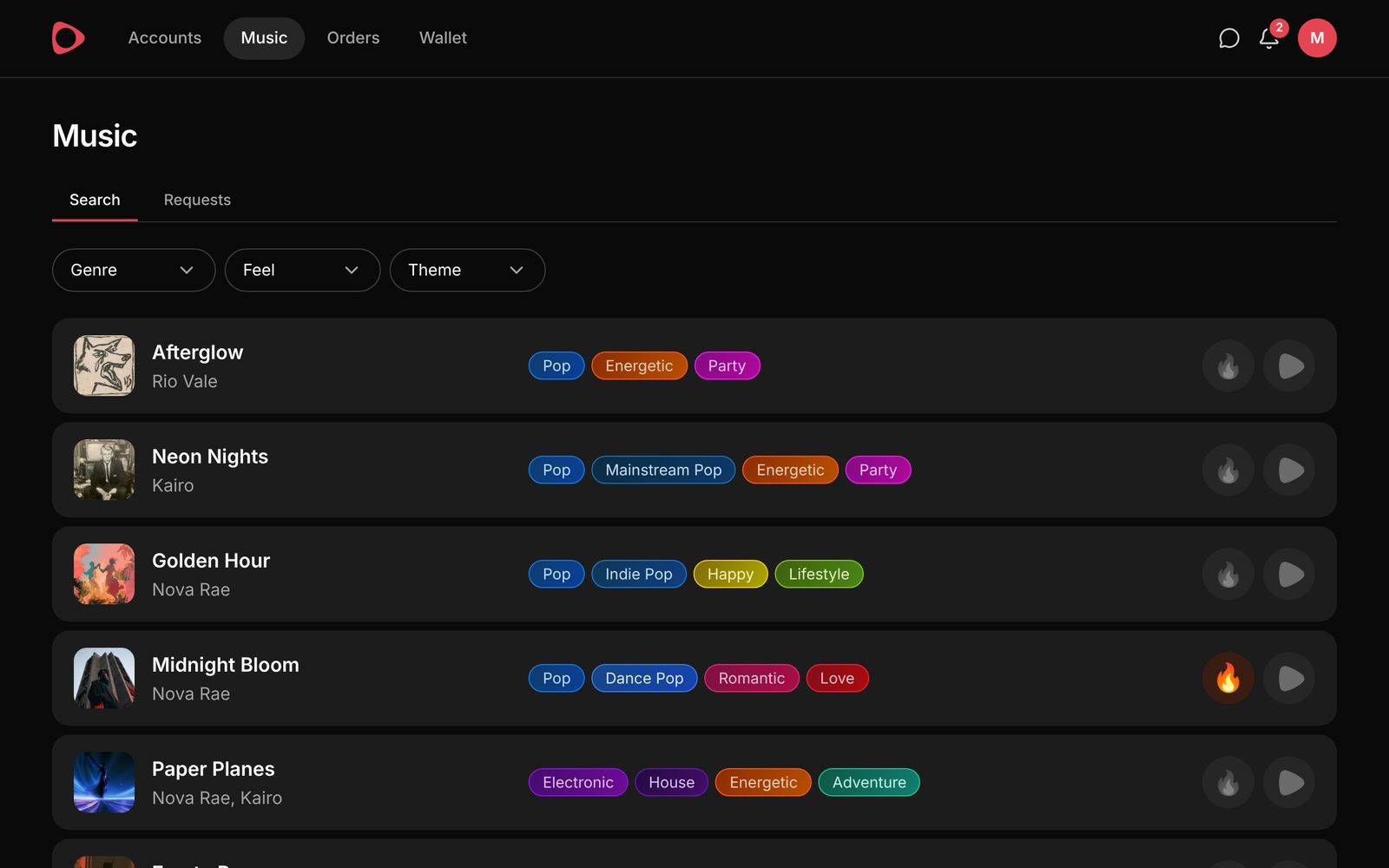
Browse open campaigns and filter by genre, feel and theme. Play any track, and give the ones you like a 🔥 so the artist knows how it lands.

Music page with tracks, their tags, fire and play buttons
Music page with tracks, tags, fire and play buttons
3

Select a track

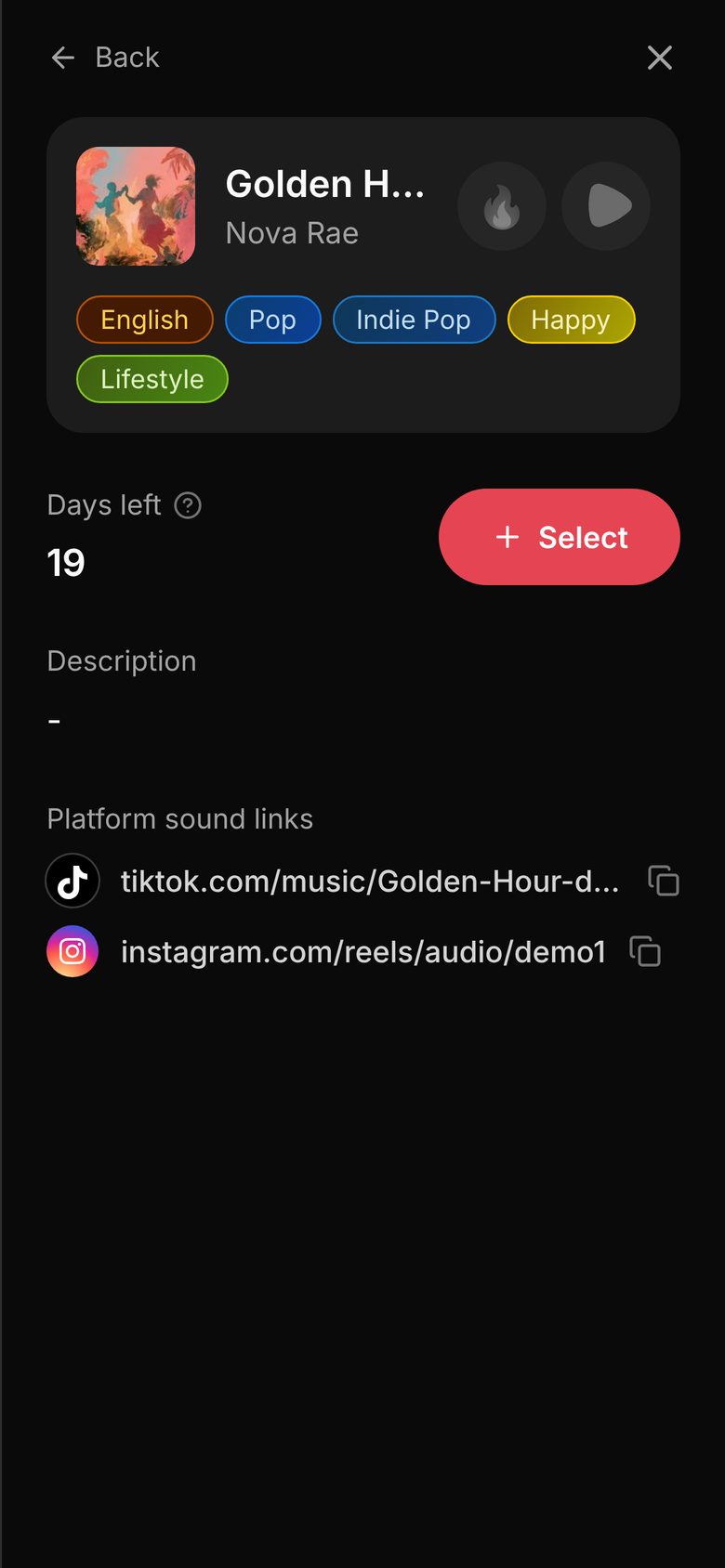
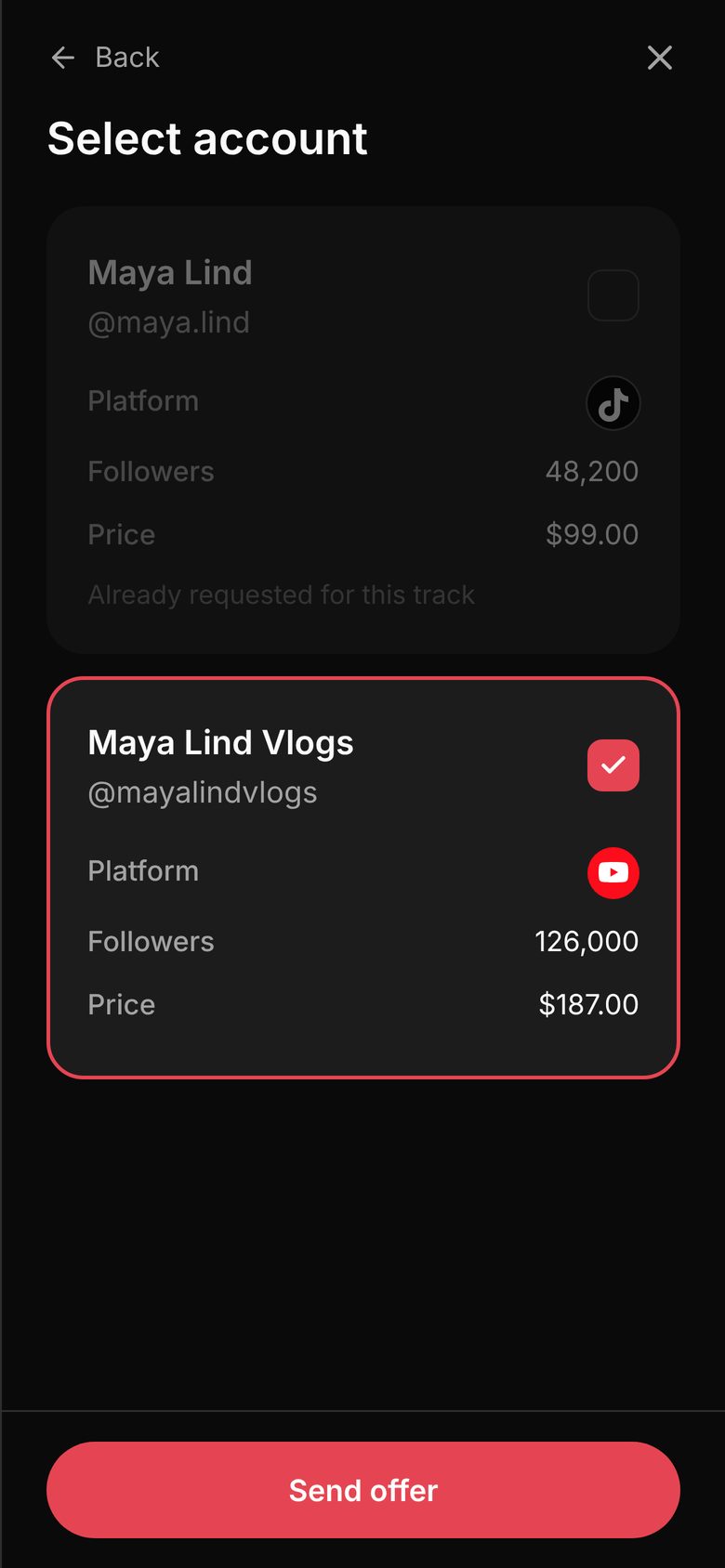
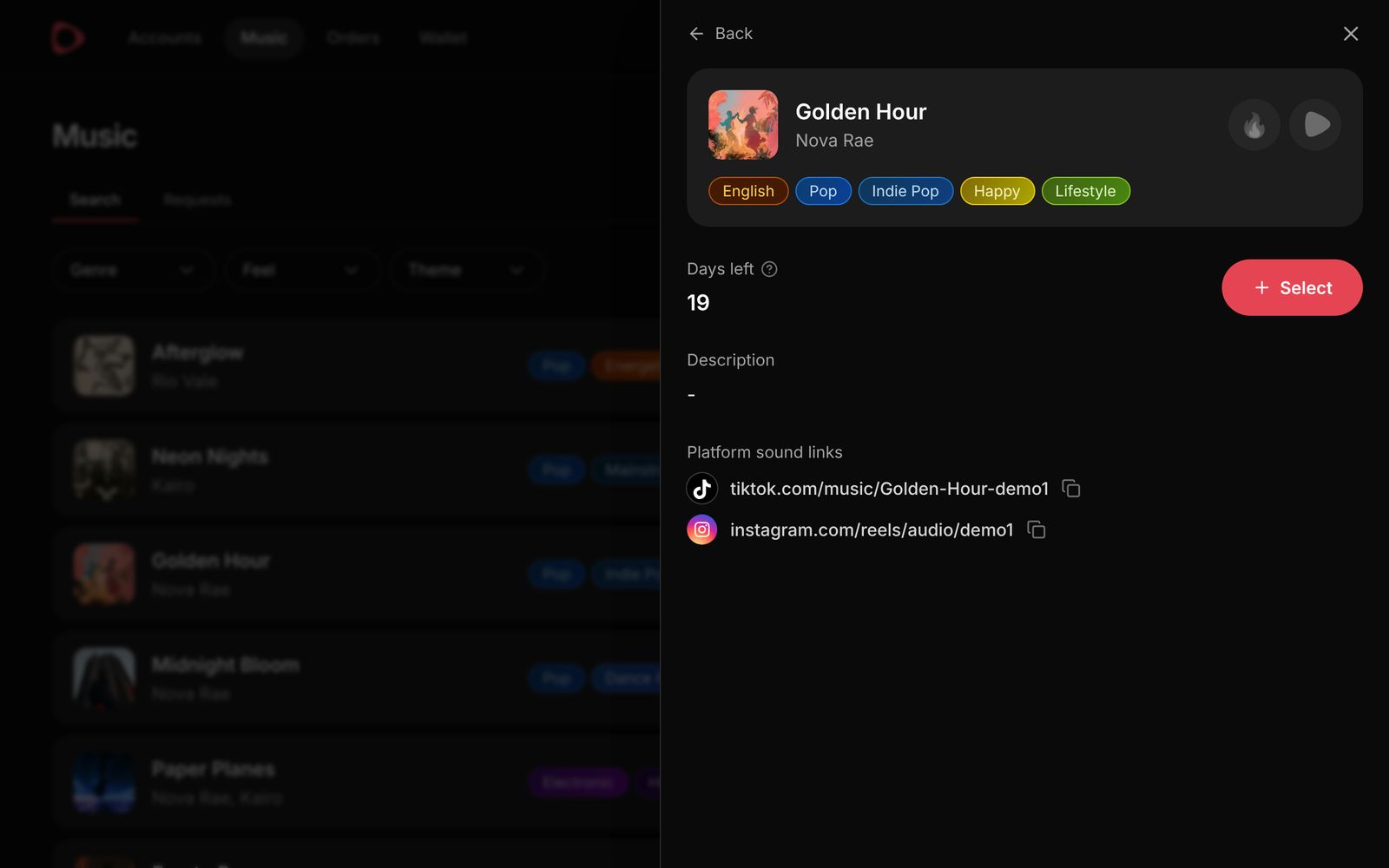
Open a track to see its tags, brief, days left and sound links. Tap Select, choose which of your accounts will post, and send your offer at that account's price. The artist decides whether to accept it.

Track details with tags, days left, sound links and the Select button
Choosing which account to post from before sending the offer
Track details with tags, days left, sound links and the Select button
4

Answer requests

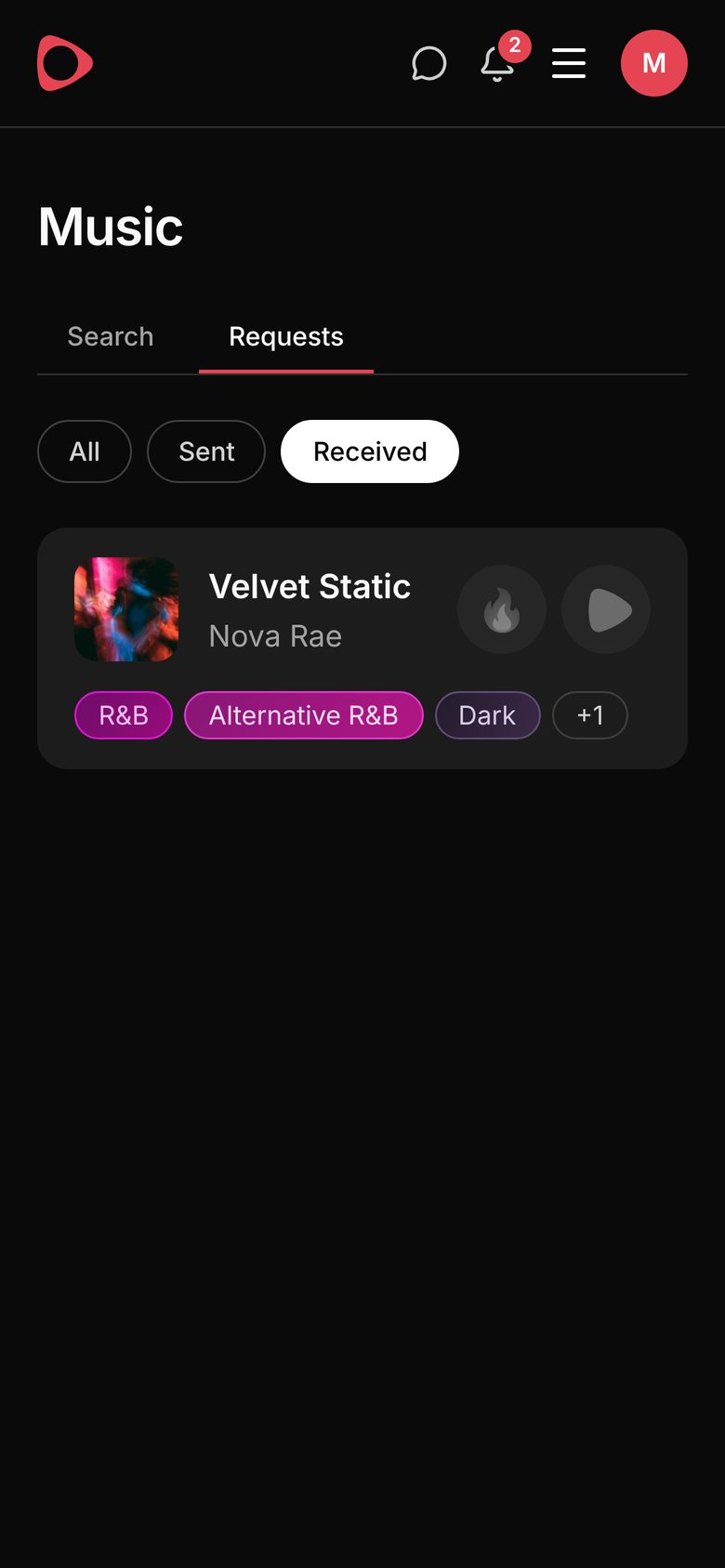
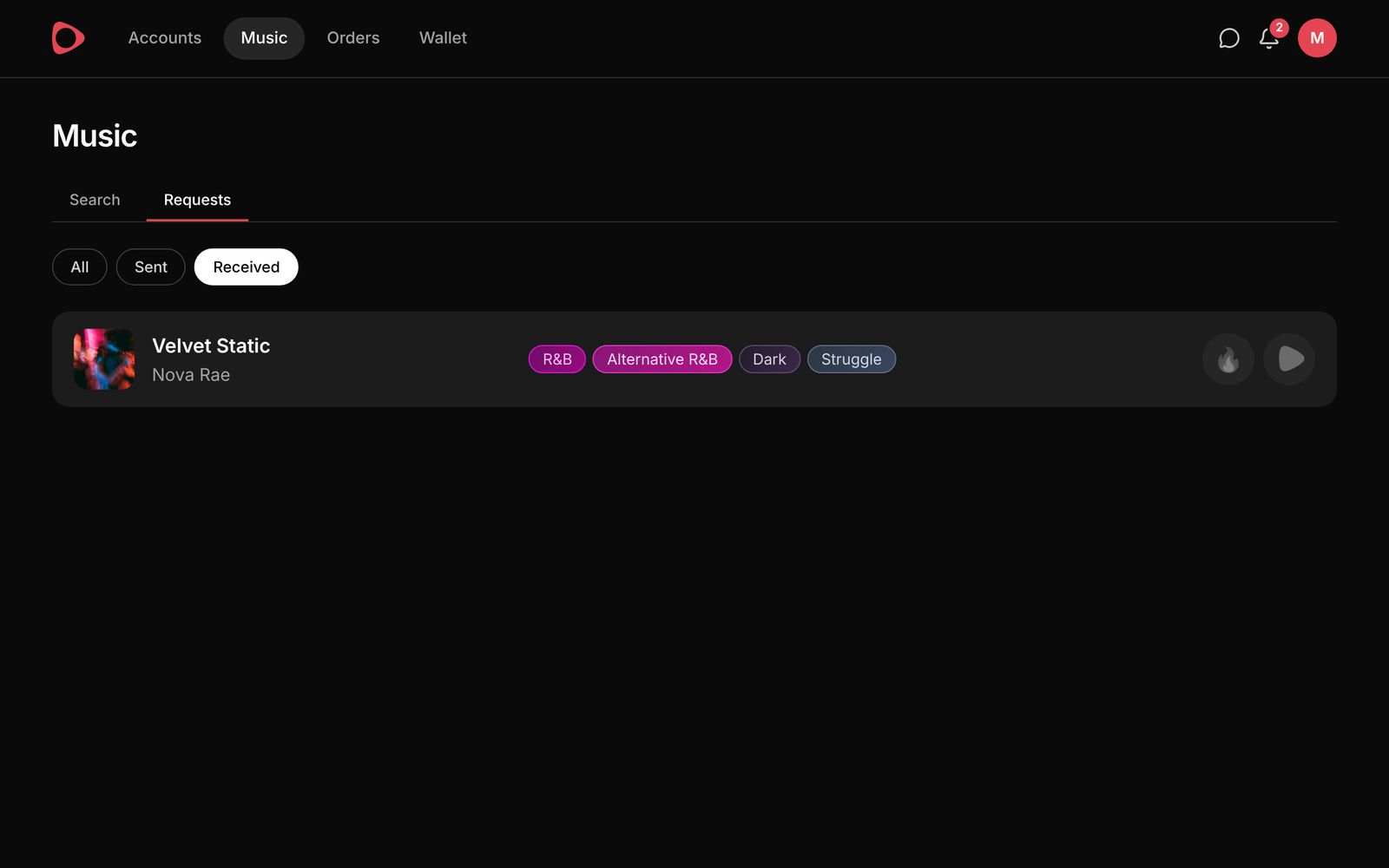
Artists can also invite you directly. Requests you receive and offers you sent are both listed under Requests, where you accept or decline them.

Requests page with a received request
5

Post and submit the link

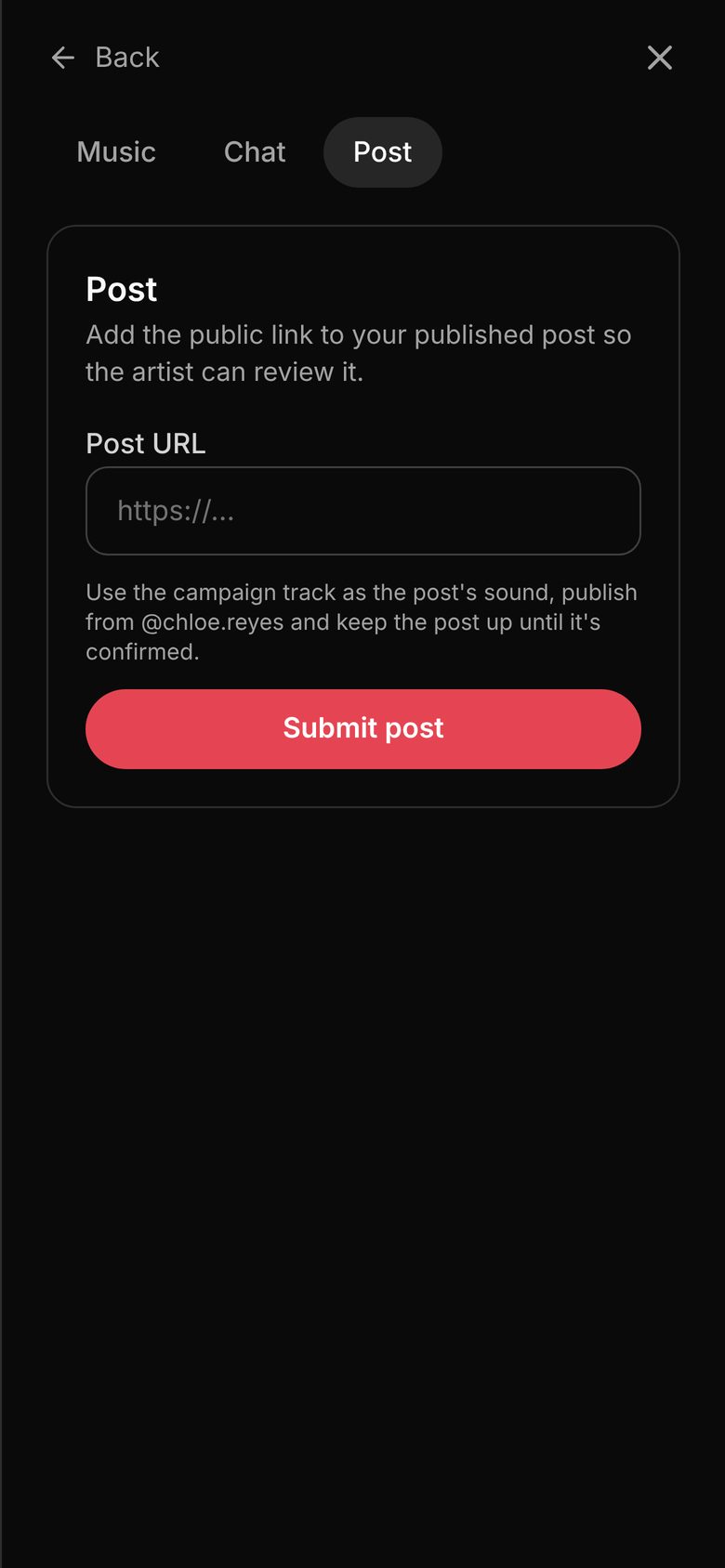
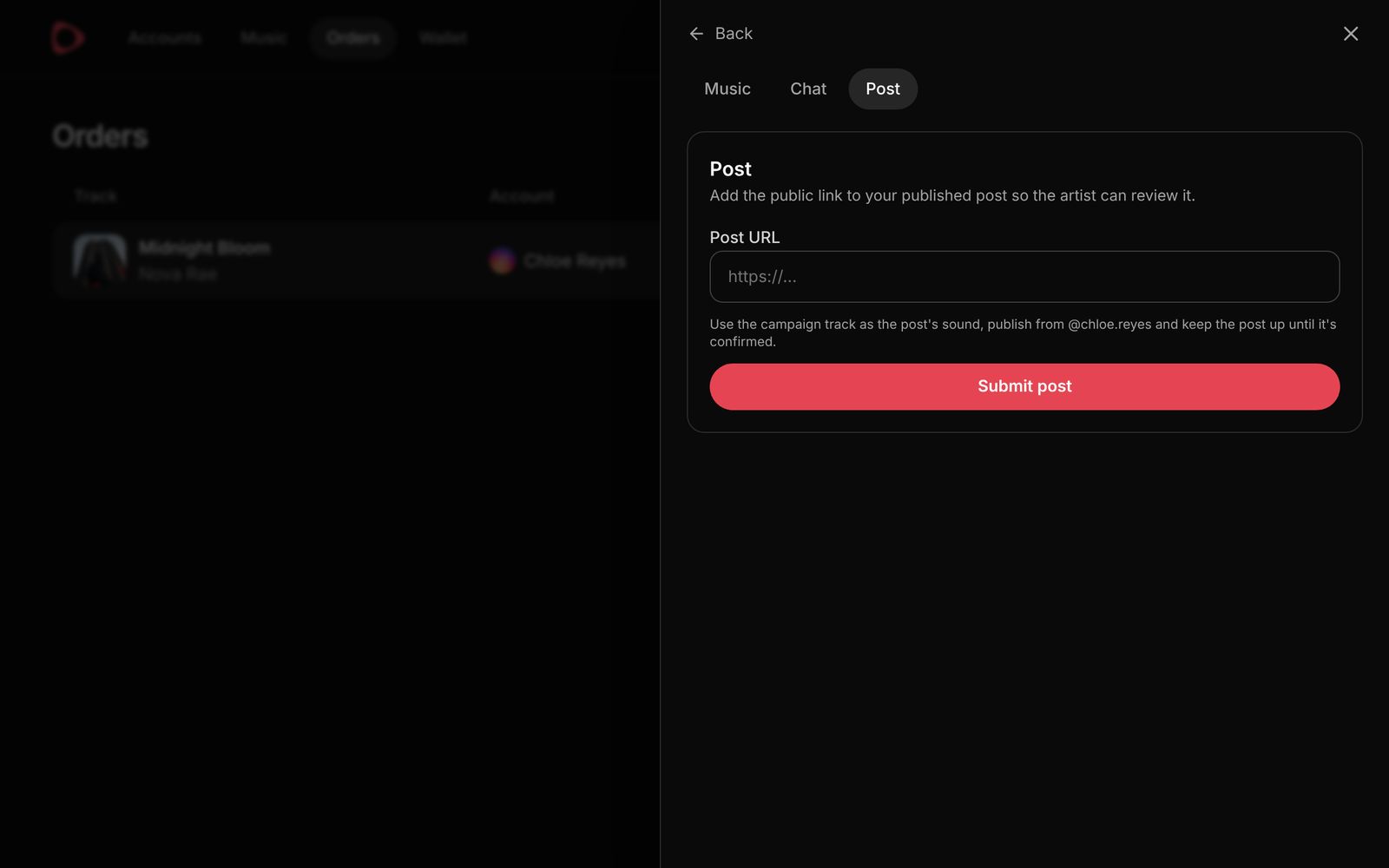
Once you and the artist agree, it becomes an order. Make your post your way with the campaign track and its official sound, publish it before the campaign ends, and submit the public link. Keep the post up until it is confirmed.

Order with the Post tab where the creator pastes the post link and submits it
Order with the Post tab for submitting the post link
6

Get paid

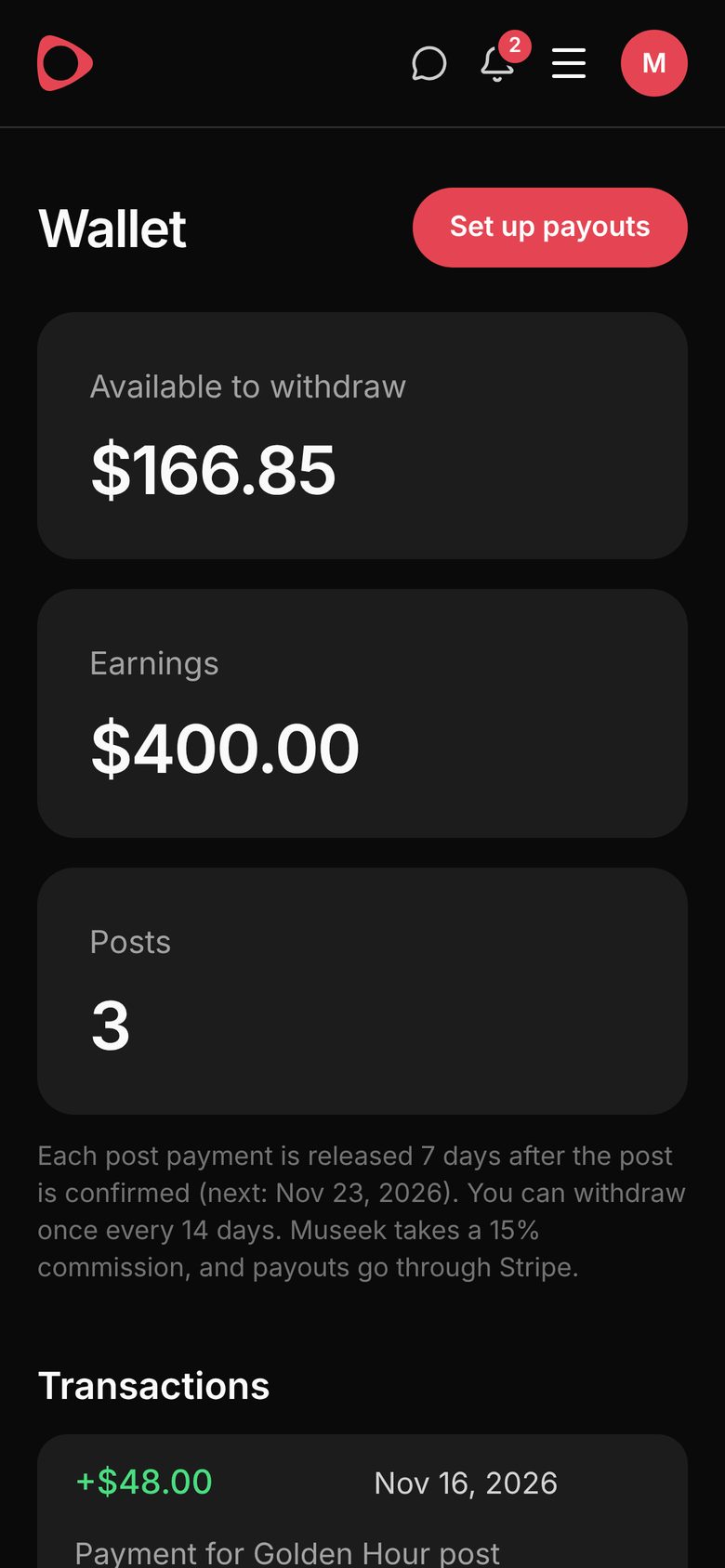
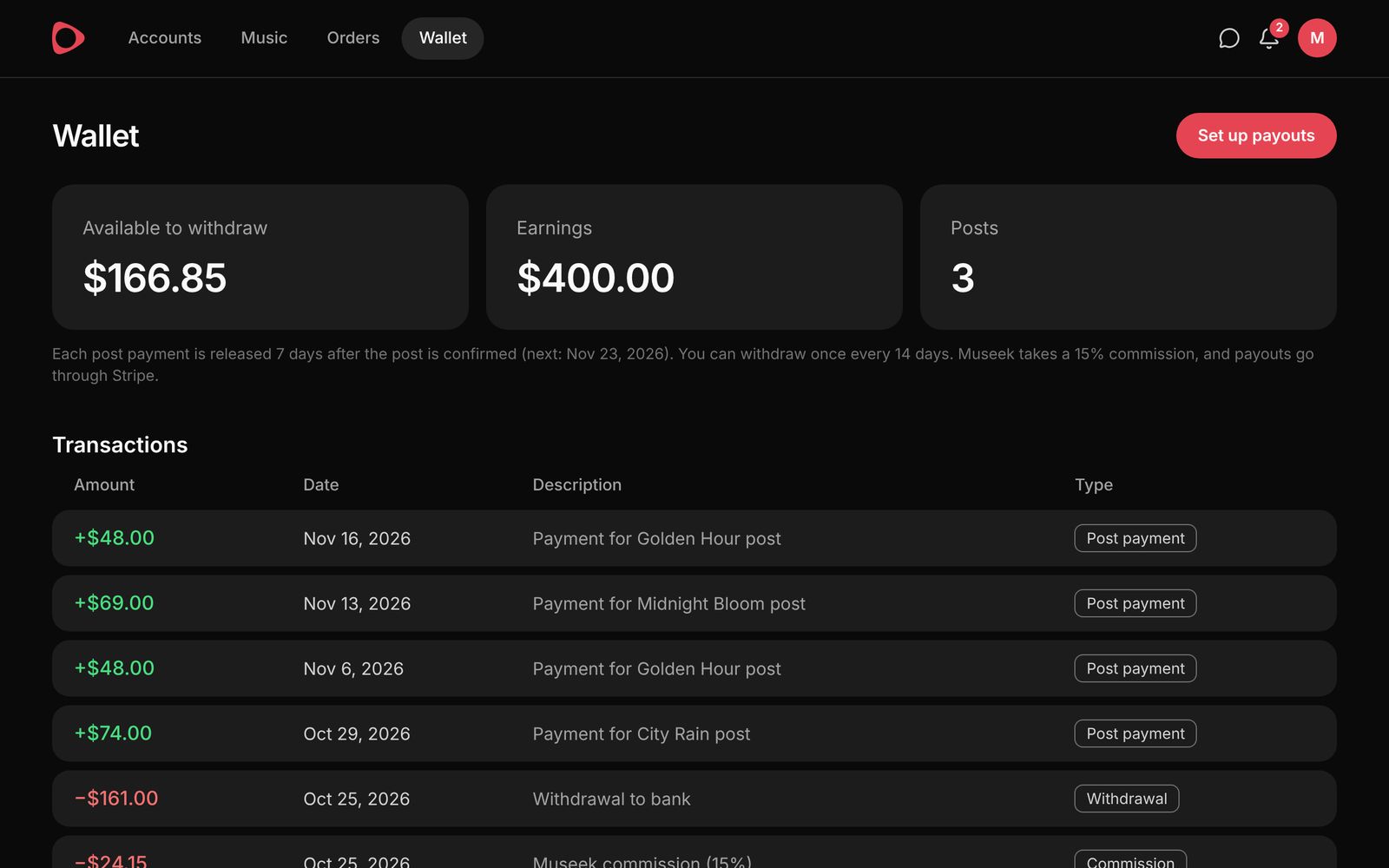
The artist has 7 days to confirm your post, and it is confirmed automatically if they don't respond. Your payment is released to your wallet 7 days after confirmation, and you can withdraw once every 14 days.

Creator wallet with available balance, earnings and posts
Creator wallet with available balance, earnings and transactions

Payments

Every post has a fixed price, agreed before it is made. It does not change with views, likes or shares.

  1. AgreedThe creator's price is accepted and held in the campaign budget
  2. PostedThe creator publishes and submits the link
  3. ConfirmedThe artist confirms within 7 days, or it confirms automatically
  4. Released7 days later the payment reaches the creator's wallet
  5. WithdrawnThe creator withdraws, once every 14 days

Artists pay

  • The creator's price for each confirmed post, exactly as shown when you accepted it
  • A 5% platform fee on money you put into a campaign, including top-ups
  • A $50 budget to open a campaign to offers from all creators
  • Nothing for unused funds: they return to your wallet when the campaign ends, and you can withdraw them
  • A free first campaign: a 7-day trial open to offers, with no budget and no fee

Creators earn

  • The price you set for each account, from $1 per post
  • Paid per confirmed post, never based on how the post performs
  • Released 7 days after the post is confirmed
  • Withdrawals once every 14 days, paid out through Stripe
  • A 15% Museek commission, taken when you withdraw

If a post is disputed, Museek reviews the objective facts: the link, the timing, the account and the track used. Creative taste is never a reason to withhold payment. Joining Museek is free, with no listing fees or subscriptions.

Features

Mutual selection

Artists choose which accounts post with their track, and creators choose which tracks they want to use. A collaboration only starts when both agree.

Smart matching

Creators are ranked by how well their genres, feel, theme and language match the track. Filter by platform, sort by audience size and preview each account before choosing.

Fire reactions

Creators give the tracks they like a 🔥. Artists see how many creators listened, reacted, joined and posted, a first signal of how a track may be received.

Verified accounts

Creators connect their accounts through the platform's own login, so artists see real follower and performance data.

Creative freedom

The brief is guidance, not a script. The one requirement is that the post uses the correct track and is published to the agreed account within the campaign period.

Official sounds

Artists can add official TikTok, Instagram and YouTube sound links, so posts use the right audio.
Chats

Message each other directly inside every collaboration, instead of across separate inboxes.

Notifications

New requests and offers, posts to review, confirmations, payments and campaigns about to end. Each one opens the exact page it is about.

Campaign results

Posts, views, engagements and spend for each campaign, with cost per 1,000 views and engagement rate over time, and every published post in one place.

Questions? Use the .

Contact support

Tell us what you need help with and we’ll reply by email.

0 / 150 words